

Best Smart Pet Feeders 2026: Top Picks Compared
Table of Contents
- Quick Comparison: Best Smart Pet Feeders at a Glance
- Automatic Pet Feeder With Camera: Premium Monitoring & Control
- Cat Smart Dog Automatic Pet Feeder: Affordable All-in-One Solution
- How to Set Up a Smart Pet Feeder: Step-by-Step Setup Guide
- Smart Feeder Portion Control Settings: Customizing Meals for Your Pet
- Key Features to Look For in a Smart Pet Feeder
- Common Mistakes & Smart Home Integration Tips
- Conclusion: Finding Your Perfect Smart Feeder Match
Last Updated: August 19, 2026
Quick Comparison: Best Smart Pet Feeders at a Glance
Smart pet feeders solve a real problem: pets thrive on consistent meal schedules, but busy schedules make that difficult. Whether you're managing portion control, monitoring feeding habits remotely, or automating daily routines, the right feeder removes friction from pet care.
| Feeder Model | Price | Best For | Key Feature | App Control |
|---|---|---|---|---|
| Automatic Pet Feeder With Camera | $179.99 | Remote monitoring & interaction | 1080p HD camera, night vision, two-way audio | Yes (iOS/Android) |
| Cat Smart Dog Automatic Pet Feeder | $97.99 | Budget-conscious multi-pet homes | 4L capacity, stainless steel bowl, multiple power options | Basic scheduling |
| Pet Dog Baseball Food Reward Machine | $31.99 | Interactive training & enrichment | Develops dog intelligence, safe materials | No |
Automatic Pet Feeder With Camera: Premium Monitoring & Control
The Automatic Pet Feeder With Camera delivers what remote pet owners want: the ability to feed your pet, watch them eat, and interact in real time from your phone. At $179.99, this premium choice suits households where monitoring matters as much as automation.


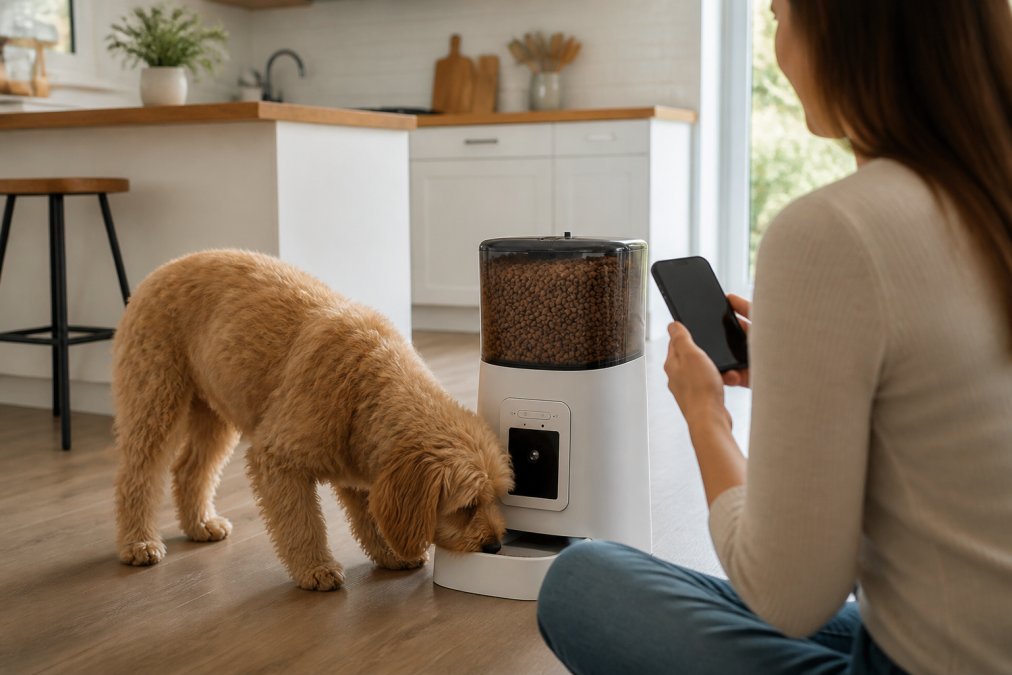
The 1080p HD camera with infrared night vision enables 24/7 monitoring. The Petzero app (iOS/Android) lets you schedule meals, adjust portions, and send voice messages your pet hears during feeding. Two-way audio transforms a simple feeder into an interactive experience, you can talk to your dog while at work, addressing anxiety in pets left alone.
The 6L visible grain bucket holds enough kibble for multi-day feeding. Portion control is precise: customize sizes and frequency in the app, and the feeder dispenses exactly what you've scheduled. Wi-Fi connectivity (2.4GHz) is stable for most households, though placement away from interference matters.
This feeder handles dry food only. Setup takes about 15 minutes. What makes this feeder stand out is the behavioral insight it provides, you can watch eating speed, detect food left behind, and spot pattern changes that signal health issues.
Cat Smart Dog Automatic Pet Feeder: Affordable All-in-One Solution
The Cat Smart Dog Automatic Pet Feeder proves you don't need $180 for reliable automatic feeding. At $97.99, this 4L capacity feeder handles consistent, scheduled meals for both cats and dogs in multi-pet households.
The durable plastic construction includes a stainless steel food tray that resists corrosion and cleans easily. Transparent buttons let you see portion settings at a glance. Color options (white or black) fit most home aesthetics.
Power flexibility is a genuine advantage. USB interface plus multiple adapter options (National, EU, UK, US, Australian, Japanese, Korean standards) matter if you travel internationally. The included desiccant bag keeps kibble fresh by managing moisture.
The trade-off is straightforward: no camera, app connectivity, or two-way audio. You're getting automation without remote monitoring. For pet owners at home most days or those with predictable schedules, that's perfectly fine. Basic scheduling handles typical morning and evening meals with adjustable portions.
Cleaning is straightforward, the stainless steel tray removes easily, and the plastic hopper wipes clean. This feeder makes sense for apartment dwellers wanting a compact solution and multi-pet households needing different feeding schedules.
How to Set Up a Smart Pet Feeder: Step-by-Step Setup Guide
Setting up a smart pet feeder correctly prevents feeding errors and ensures smooth adaptation. The process takes 15-30 minutes depending on the model.
Step 1: Unpack and Inspect Components Verify all parts are included: feeder unit, power adapter, instruction manual, and accessories. Check for shipping damage before filling the hopper.
Step 2: Choose Your Location Place the feeder on a stable, level surface away from high-traffic areas and water sources. For camera-equipped feeders, position where the camera has a clear view of your pet's eating area. Place within reasonable Wi-Fi range (typically 30 feet from router).
Step 3: Fill the Hopper Use dry kibble that flows smoothly; avoid extremely large or irregular pieces that might jam. Fill to the marked line, don't overfill, as this causes portion control errors.
Step 4: Connect Power Plug in the power adapter or USB cable. Most feeders have a power indicator light confirming connection. Wait 30 seconds for initialization.
Step 5: Download and Install the App (if applicable) For smart feeders with app control, download the manufacturer's app (Petzero for camera models). Create an account and follow the in-app setup wizard, typically 5-10 minutes.
Step 6: Connect to Wi-Fi Use the app to connect your feeder to your home Wi-Fi network. You'll need your Wi-Fi name and password. Verify the connection is stable before proceeding.
Step 7: Set Feeding Schedule and Portions Enter your pet's feeding schedule in the app or via physical buttons. Start with portion sizes recommended for your pet's weight and age. Test the dispensing mechanism once before leaving your pet unsupervised.
Step 8: Test with Your Pet Present Trigger a test feeding while your pet is nearby. Watch their reaction to the sound and motion. Some pets need a few days to adjust. If your pet seems anxious, run the feeder a few times without food to normalize the sound.
Step 9: Monitor for 48 Hours Keep an eye on eating behavior for the first two days. Check that portions dispense correctly and your pet eats normally. Adjust portions if needed. For remote monitoring feeders, test camera and app functionality during this period.
The most common setup mistake is overfilling the hopper, which prevents accurate portion control.
Smart Feeder Portion Control Settings: Customizing Meals for Your Pet
Portion control is where smart pet feeders earn their value. Precise portions prevent overfeeding (a major cause of pet obesity) while ensuring adequate nutrition for your pet's activity level and metabolism.
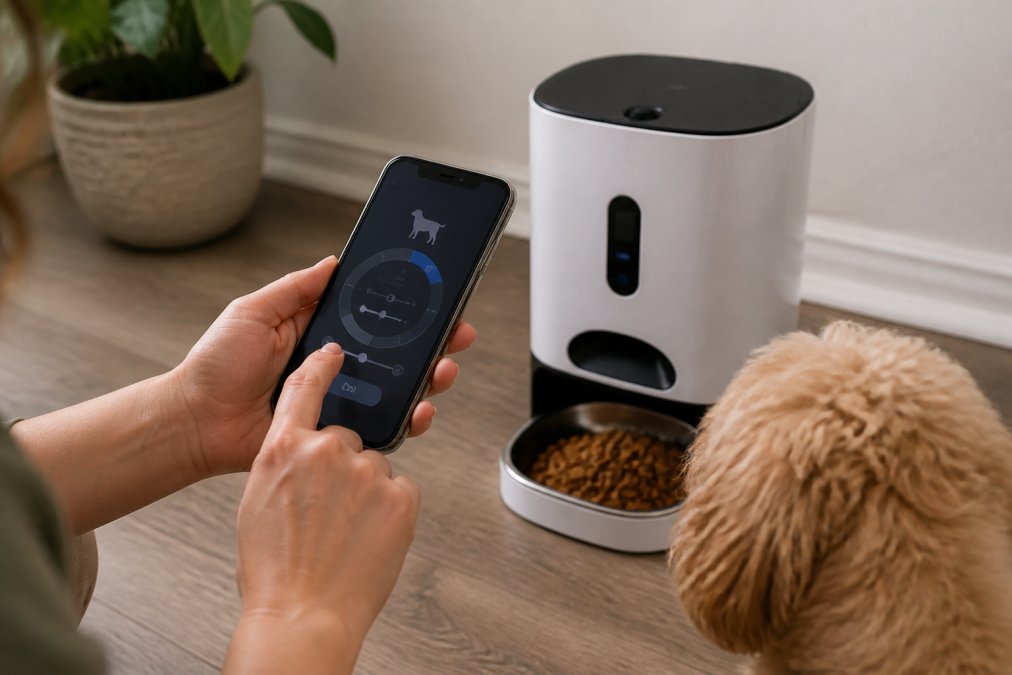
Most smart pet feeders let you set portion sizes in grams or cups, then distribute across multiple meals per day. The Automatic Pet Feeder With Camera lets you customize portions for each feeding through the app, morning meal might be 1 cup, evening meal 0.75 cups, based on your pet's needs.
Start with your veterinarian's recommendation for daily caloric intake. A typical adult dog needs roughly 25-30 calories per pound of body weight daily, but this varies by age, activity level, and metabolism. Your vet can provide a specific target.
Divide that daily amount across your feeding schedule. Most pets do well with two meals per day. Watch for these signs that portions need adjustment:
- Your pet finishes meals and seems hungry (increase slightly)
- Your pet leaves food behind consistently (decrease)
- Weight gain despite normal activity (reduce by 10-15%)
- Weight loss or lethargy (increase or consult your vet)
App-controlled feeders let you adjust portions in seconds. For multi-pet households, this customization is essential, a 15-pound cat needs very different portions than an 80-pound dog.
Weigh your pet weekly or bi-weekly during the first month. Most pets stabilize at a healthy weight within 4-6 weeks of consistent portioning.
Key Features to Look For in a Smart Pet Feeder
Understanding what features actually matter versus nice-to-have extras helps you choose a feeder that solves your specific problem.
App Control and Remote Access Essential if you spend significant time away from home. The ability to trigger meals, adjust portions, and monitor feeding from your phone means you're never locked into a fixed schedule. Look for iOS and Android app support with recent reviews.
Portion Control Precision Feeders that dispense in grams are more precise than those using cups. Check the manual for portion granularity before buying.
Hopper Capacity A larger hopper (4-6 liters) means less frequent refilling. For busy owners or those who travel, this matters. Measure your available space before choosing.
Dispensing Mechanism and Anti-Jam Design Look for stainless steel or food-grade plastic components that resist wear. Anti-jam mechanisms prevent kibble from getting stuck. Read reviews specifically about jamming, if multiple users report it, that's a red flag.
Power Reliability and Backup Most feeders plug into standard outlets. Some include battery backup for power outages. If outages are common in your area, ask about backup options before buying.
Stainless Steel or Ceramic Bowls Plastic bowls work, but stainless steel and ceramic are more durable and easier to clean. They resist odor absorption better than plastic.
Connectivity Type Wi-Fi feeders offer app control but require stable internet. Bluetooth-only feeders have shorter range but don't depend on internet. For most households, Wi-Fi is fine.
Cleaning and Maintenance Feeders with removable, dishwasher-safe components are significantly easier to maintain. Check whether the hopper, bowl, and dispensing mechanism can be easily disassembled.
Common Mistakes & Smart Home Integration Tips
Most pet owners make the same setup and usage mistakes when switching to automatic feeders.
Mistake 1: Overfilling the Hopper Filling beyond the marked line causes portion control errors. The feeder can't accurately dispense when overfull because kibble pressure affects how much falls into the dispensing mechanism. Fill to the line, no higher.
Mistake 2: Using Kibble That Doesn't Flow Smoothly Extremely large pieces, irregular shapes, or high-moisture kibble jam dispensing mechanisms. Test with a small amount first if your pet eats specialty kibble.
Mistake 3: Ignoring the First 48 Hours Some pets need time to adjust to the sound and motion of automatic feeders. Spend time with your pet during initial feedings before leaving them unsupervised.
Mistake 4: Setting Portions Without Veterinary Input Guessing at portion sizes often leads to overfeeding. Your vet can calculate specific caloric needs based on age, activity level, and metabolism in 5 minutes.
Mistake 5: Not Cleaning Regularly Automatic feeders accumulate dust, moisture, and kibble residue. Mold grows in damp hoppers, and bacteria can contaminate food. Clean the hopper and bowl weekly, and disassemble the dispensing mechanism monthly.
Smart Home Integration Modern smart pet feeders integrate with popular smart home ecosystems. If you use Amazon Alexa, Google Home, or Apple HomeKit, check whether your feeder has compatible integrations. Some allow voice control ("Alexa, feed the dog"), while others log feeding data to your smart home dashboard.
Integration enables automation rules. Some systems let you set conditions: "If my phone leaves the house, trigger the evening feeding at 6 PM."
Conclusion: Finding Your Perfect Smart Feeder Match
Choosing the right smart pet feeder depends on three factors: your budget, whether you need remote monitoring, and your pet's specific needs.
The Automatic Pet Feeder With Camera at $179.99 is best for owners who want to monitor their pet remotely, interact while away, and track eating behavior. The 1080p camera, two-way audio, and app control suit anxious pets or households where someone is away during feeding times. My Store's Automatic Pet Feeder With Camera includes Petzero app integration, night vision, and precise portion control that pet parents working long hours need.
The Cat Smart Dog Automatic Pet Feeder at $97.99 works best for multi-pet households, apartment dwellers, or owners at home regularly. The 4L capacity, stainless steel bowl, and multiple power adapter options make it versatile and durable. If you don't need remote monitoring, this feeder handles the core job reliably without the premium price.
The Pet Dog Baseball Food Reward Machine at $31.99 serves a different purpose, interactive enrichment and training rather than automatic feeding.

Start by identifying your actual need: convenience, remote monitoring, portion control, or enrichment? Your answer narrows the choice significantly.
Get started with My Store's smart pet feeders and give your pet the consistent, automated care they deserve. Shop Pet Essentials Now to explore all options, and take advantage of our Easy 30-day Returns if a feeder doesn't work for your household.
Frequently Asked Questions
What is the best smart pet feeder for busy pet owners?
The best choice depends on your needs. The Automatic Pet Feeder With Camera ($179.99) suits owners who want remote monitoring with 1080p HD video and app control. The Cat Smart Dog Automatic Pet Feeder ($97.99) works well for those prioritizing affordability without sacrificing core features like Wi-Fi connectivity and portion control. Both offer scheduled feeding, low food alerts, and app-based meal management, ideal for professionals with unpredictable schedules.
How does smart feeder portion control help with pet health?
Smart feeder portion control settings let you customize meal sizes and frequency based on your pet's age, weight, and health needs. Most models store feeding history, helping you track consumption patterns and catch dietary changes early. This precision prevents overfeeding, reduces obesity risk, and supports pets with specific dietary requirements. You can adjust portions remotely via app, making it easier to manage multi-pet households with different nutritional needs.
Can I leave my pet alone for 2 days with an automatic feeder?
Yes, with proper setup. A smart pet feeder can dispense multiple meals over 48 hours using scheduled feeding. However, ensure the hopper has enough dry kibble (most hold 4-6 liters), the feeder is fully charged or plugged in, and your Wi-Fi is stable. For extended absences, monitor your pet via camera if available. Consider pet sitters or boarding for longer trips, as automatic feeders handle meals but not water, litter, or emotional needs.
What makes an automatic pet feeder 'smart'?
A smart pet feeder combines automatic dispensing with Wi-Fi connectivity and app control. Key smart features include scheduled meal times, portion customization, feeding history tracking, push notifications for low food alerts, and remote operation via smartphone. Premium models add cameras with night vision and two-way audio for monitoring and interaction. These features let you manage feeding from anywhere, adjust portions on the fly, and ensure consistent meal schedules even when you're away.
[EXTERNAL_LINK: American Animal Hospital Association pet nutrition guidelines | aaha.org]
[EXTERNAL_LINK: Association of American Feed Control Officials pet food standards | aafco.org]
[EXTERNAL_LINK: Pet obesity statistics and veterinary management recommendations | avma.org]
This article was written using GrandRanker